


CheckOut

CheckOut

CheckOut

Mobile App

Mobile App

Mobile App

Two iPhones displaying banking app screens

Overview

Overview

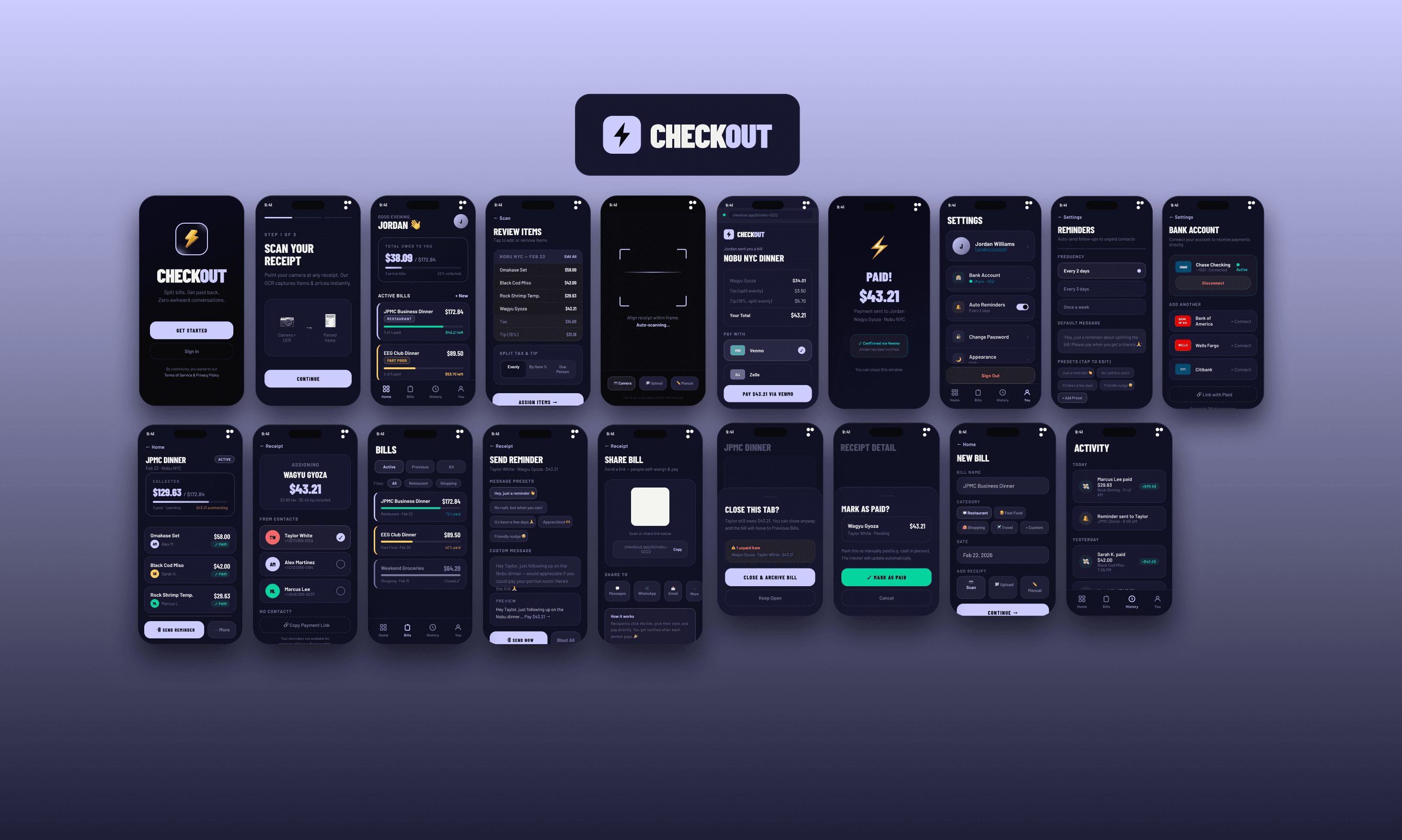
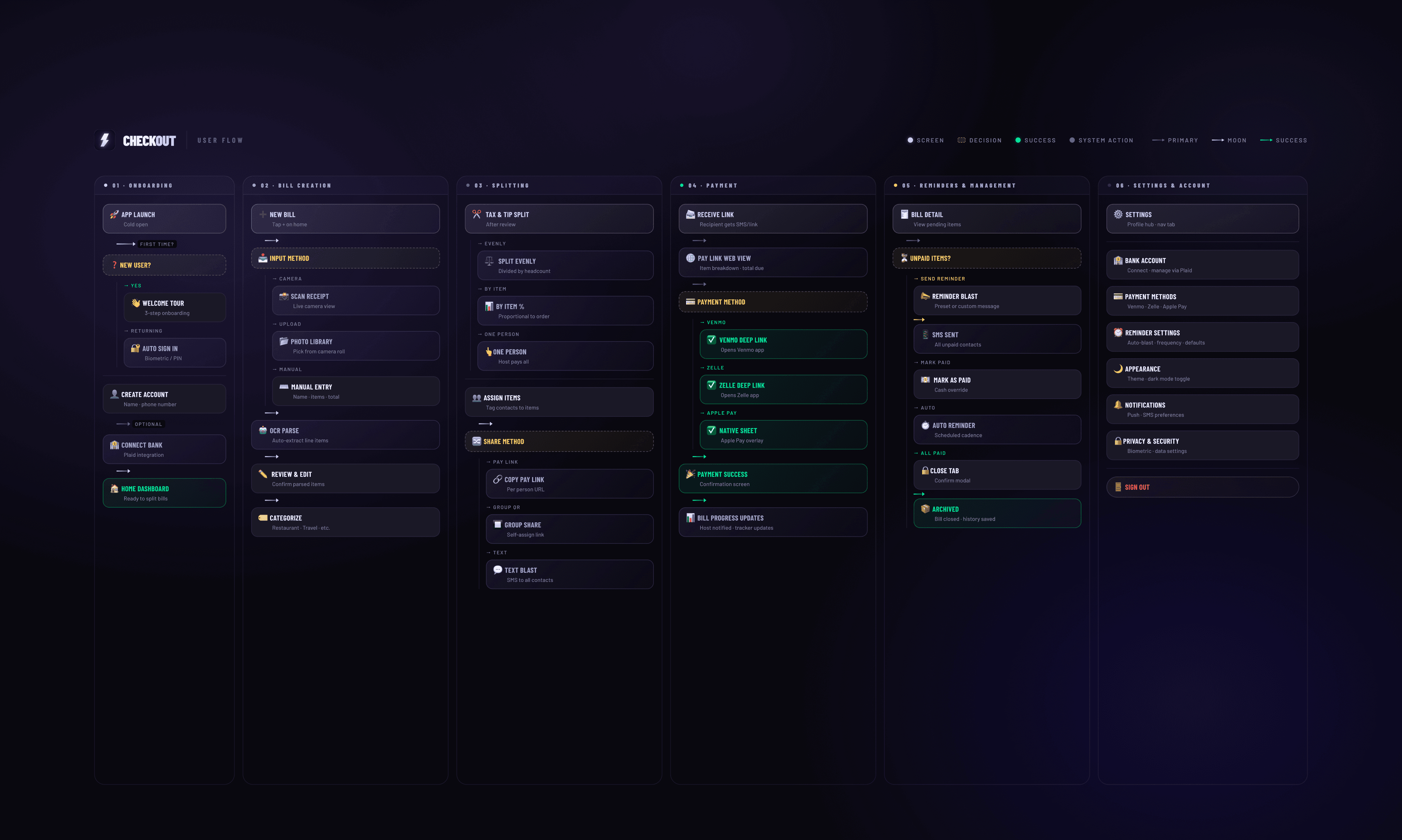
Checkout is a bill splitting app I designed to make splitting receipts after group dinners and events as painless as possible. I built it around a really simple flow: scan the receipt, assign items to people, and send everyone their own payment link.

Checkout is a bill splitting app I designed to make splitting receipts after group dinners and events as painless as possible. I built it around a really simple flow: scan the receipt, assign items to people, and send everyone their own payment link.

I also wanted it to handle the part everyone hates which is the follow up. Checkout lets you blast reminders to everyone who hasn't paid and tracks payments in real time so you're not manually keeping tabs on who sent you money and who hasn't.

I also wanted it to handle the part everyone hates which is the follow up. Checkout lets you blast reminders to everyone who hasn't paid and tracks payments in real time so you're not manually keeping tabs on who sent you money and who hasn't.

Features

Features

Receipt Scanner: I built in an OCR scanner so you can just point your camera at a receipt, and it pulls out every line item automatically. You can edit anything it gets wrong before sending anything out.

Item Assignment: Instead of just splitting the total evenly, I wanted people to be able to assign specific items to specific people in their contacts. Tax and tip split proportionally based on what each person ordered.

Payment Links Everyone on the bill gets their own personal link that shows exactly what they owe. They can pay through Venmo, Zelle, or Apple Pay, and they don't need to download anything to do it.

Text Blast: I added a blast feature so you can send one message to everyone at once instead of copying and pasting the same thing to every person individually.

Reminders: You can set automatic reminders that go out on a schedule if someone still hasn't paid after a few days. Checkout follows up for you so you don't have to keep texting people.

Payment Tracking: Every bill has a live progress bar showing how much you've collected and who's still pending. If someone paid in cash, you can mark them manually so everything stays accurate.

Receipt Scanner: I built in an OCR scanner so you can just point your camera at a receipt, and it pulls out every line item automatically. You can edit anything it gets wrong before sending anything out.

Item Assignment: Instead of just splitting the total evenly, I wanted people to be able to assign specific items to specific people in their contacts. Tax and tip split proportionally based on what each person ordered.

Payment Links Everyone on the bill gets their own personal link that shows exactly what they owe. They can pay through Venmo, Zelle, or Apple Pay, and they don't need to download anything to do it.

Text Blast: I added a blast feature so you can send one message to everyone at once instead of copying and pasting the same thing to every person individually.

Reminders: You can set automatic reminders that go out on a schedule if someone still hasn't paid after a few days. Checkout follows up for you so you don't have to keep texting people.

Payment Tracking: Every bill has a live progress bar showing how much you've collected and who's still pending. If someone paid in cash, you can mark them manually so everything stays accurate.

Tools Used

Figma

Design Tool

Visual Studio Code

IDE

Tools Used

Figma

Design Tool

Visual Studio Code

IDE

Tools Used

Figma

Design Tool

Visual Studio Code

IDE

Created

Created

2026

Three iPhones displaying banking app screens

Process

Idea Inspiration

If you've ever been a club treasurer at a university, you already know exactly what this app is for. I saw the same thing happen in almost every club I was part of at NYU: someone organizes a club dinner or social, the bill comes out to like $400 for 20 people, and the treasurer ends up stuck having to chase everyone down one by one for weeks to get paid back. I watched people deal with this constantly, and it genuinely seemed miserable.

The obvious answer most people go to is Splitwise, but I personally think Splitwise adds too much friction for a situation like this. The other option is having to manually track who all has paid through the notes app or through a spreadsheet. With Splitwise, you have to get everyone to make an account, add the bill, and split everything out, and even then you're still the one following up in the group chat when nobody pays. It works fine for roommates, but for a one-off club dinner it's overkill, and most people just don't bother.

I wanted to build something where the whole process takes two minutes max. Scan the receipt, assign who got what, and send everyone a link. The person paying doesn't need to sign up for anything; they just open the link and pay. That was the whole idea from the beginning, and I designed everything else around keeping that flow as simple as possible.
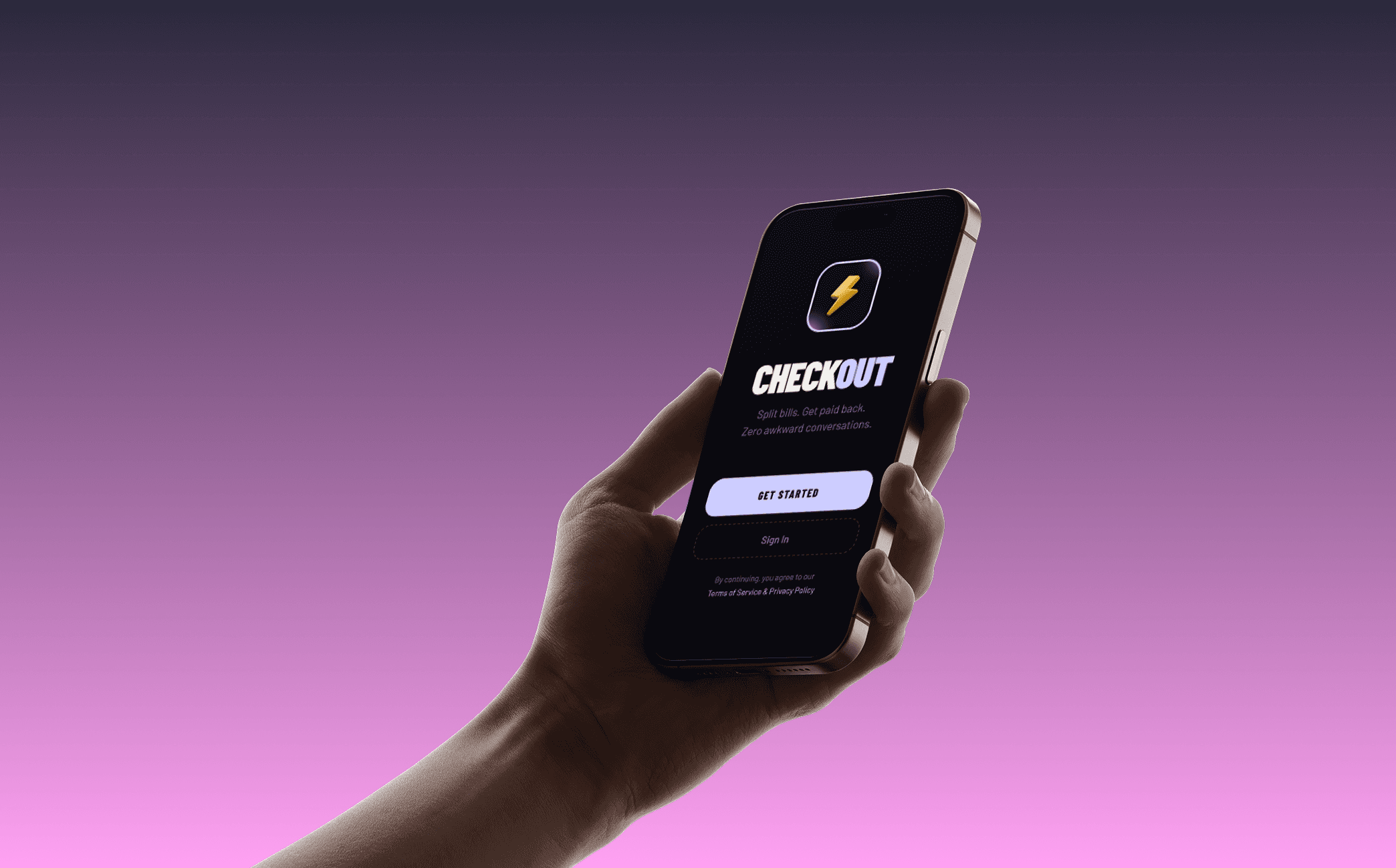
Two iPhones displaying banking app screens

Design Decisions

I did all my design work in Figma and mapped out every screen before having one of my partners work on any code. I really wanted the main flow to be three steps: scan, assign, send. Everything else in the app sits behind that so it doesn't feel overwhelming when you first open it.

For the visual direction I went with a dark theme and a periwinkle accent color because I wanted it to feel premium without being overdone. I used condensed bold typography for headings to give it some personality and kept the bottom nav to just four tabs because I think anything more than that starts making an app feel cluttered, especially when an app like this was made for simplicity. When designing this, I kept asking myself if a club treasurer coming home from a long dinner would actually want to use this, and that question drove basically every design decision I made when it came to flow and UI design itself.

Design Decisions

I did all my design work in Figma and mapped out every screen before having one of my partners work on any code. I really wanted the main flow to be three steps: scan, assign, send. Everything else in the app sits behind that so it doesn't feel overwhelming when you first open it.

For the visual direction I went with a dark theme and a periwinkle accent color because I wanted it to feel premium without being overdone. I used condensed bold typography for headings to give it some personality and kept the bottom nav to just four tabs because I think anything more than that starts making an app feel cluttered, especially when an app like this was made for simplicity. When designing this, I kept asking myself if a club treasurer coming home from a long dinner would actually want to use this, and that question drove basically every design decision I made when it came to flow and UI design itself.

Design Decisions

I did all my design work in Figma and mapped out every screen before having one of my partners work on any code. I really wanted the main flow to be three steps: scan, assign, send. Everything else in the app sits behind that so it doesn't feel overwhelming when you first open it.

For the visual direction I went with a dark theme and a periwinkle accent color because I wanted it to feel premium without being overdone. I used condensed bold typography for headings to give it some personality and kept the bottom nav to just four tabs because I think anything more than that starts making an app feel cluttered, especially when an app like this was made for simplicity. When designing this, I kept asking myself if a club treasurer coming home from a long dinner would actually want to use this, and that question drove basically every design decision I made when it came to flow and UI design itself.

Notes

CheckOut is currently still in development and will be on both the App Store and Play Store very soon, so stay tuned!

Notes

CheckOut is currently still in development and will be on both the App Store and Play Store very soon, so stay tuned!

Notes

CheckOut is currently still in development and will be on both the App Store and Play Store very soon, so stay tuned!

Next Project

Next Project

Next Project

MainQuest

MainQuest

MainQuest

->

->

Ronak Vusirikala © 2026

Ronak Vusirikala © 2026